 FDM Printers


Vinyl Cutting Tips: Clean Vectors, Fine Details & Weeding
Design for cutting, removing the waste and transferring the finished lettering—not only for how it looks on screen.
Quick checklist before sending
- Review the narrowest stroke, gap and isolated dot
- Remove duplicate paths while preserving counters
- Discuss a test cut for delicate lettering
A tall letter may still have a fragile connection or a tiny isolated detail.
Changing weight affects counters and spacing. Test the actual design and film.
Do not remove Arabic dots or change wording to simplify weeding. Agree on any design change first.
Cut vinyl is not a photograph
For ordinary cut lettering, the blade follows vector boundaries in a coloured film. A photograph, gradient or shaded rendering is not directly equivalent to those boundaries. When the artwork needs photographic detail or many colours, discuss a printed-and-cut solution instead of forcing every visible detail into separate cut pieces.
1. Prepare clean vector geometry
Work at final physical size. Use an original vector logo where possible, and convert text to outlines in a production copy. Inspect the result in outline view. Keep a separate editable master. Do not send an unexamined auto-trace full of tiny nodes and accidental fragments.
2. Understand weeding
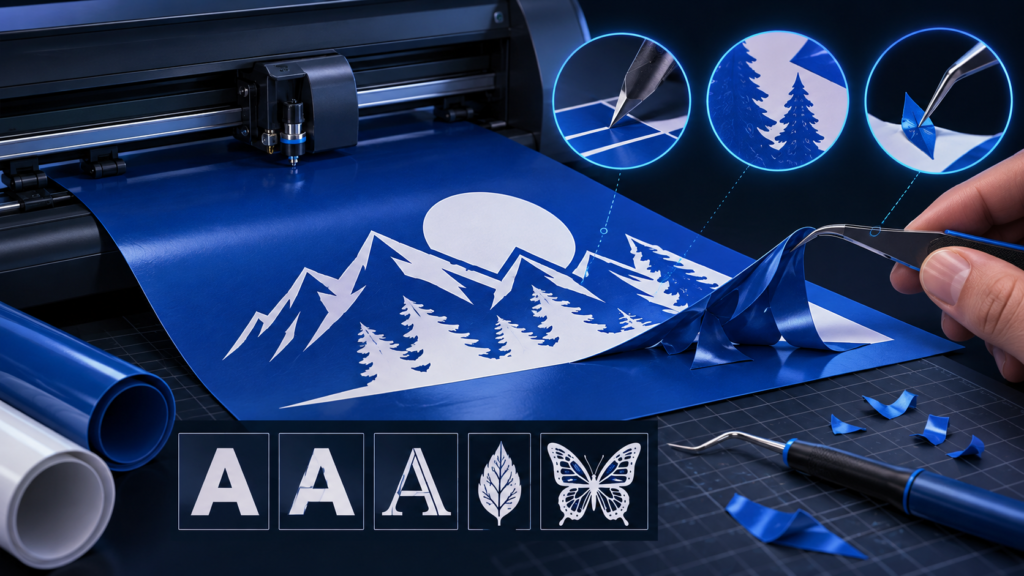
Weeding means removing the unwanted vinyl after cutting, leaving the required design on its backing. A design must therefore remain manageable when the surrounding waste is lifted and when the lettering is transferred. The fact that a path can be drawn or cut does not establish that the whole design will be easy to weed and apply.
3. Inspect the thinnest stroke and the smallest gap
Check local features, not only overall letter height. A large script word may contain very fine connecting strokes. Small centres inside letters and narrow gaps between nearby cuts may be awkward to remove cleanly. Isolated dots and accents need particular attention because they are separate pieces.
4. Preserve Arabic lettering correctly
Review connections, counters, dots and diacritics after outlining or simplifying. Do not delete small dots simply to make weeding easier: that can change the wording. Where a design is too fine, propose a larger size, an appropriate font weight or another production method, and obtain approval for the altered appearance.
5. Remove duplicate cuts without removing necessary holes
Combine touching pieces when they are meant to form one continuous vinyl shape, but preserve legitimate internal openings using clean compound geometry. Remove coincident duplicate paths. Keep different vinyl colours on clearly named layers and supply a reference of the intended assembled result.
6. Match the job to the material and installation
Tell SHARK the application surface, indoor or outdoor location, final size and whether the design will be viewed through glass. Do not mirror every design automatically. Standard adhesive vinyl and heat-transfer materials can have different preparation requirements. SHARK should confirm the viewing side and material before production.
For very thin or intricate artwork, agree on a small test cut and weeding check before producing the full order. There is no universal minimum letter size for every film, font and cutter. The 1 mm minimum and 2 mm+ strength recommendation used in our laser/3D guides must not be copied blindly into every vinyl application.
What to send SHARK
Supply the vector artwork, final dimensions, colour separation, quantity, application surface and a reference image. Mention whether installation or transfer material is required. Agree on any simplification before the design is cut.
See print-and-cut preparation and SHARK signage and branding.